Showing posts with label calibration. Show all posts

Saturday, June 12, 2010

Calibration

All types of interactive whiteboards require the user to "calibrate" before you use them.
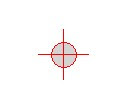
The calibration process simply lets the system know exactly where the pen is in relation to the image. The SmoothBoard software has four calibration points. The first one appears in the top left corner of the image. When it is selected, another appears at the top right, then bottom right and finally bottom left.
It is very important that the user clicks accurately in the exact middle of the crosses. If this is done without care, the pen tip and cursor will be in different places - very frustrating!

Saturday, April 3, 2010

Calibration dots

When you start SmoothBoard up you need to calibrate the image so that the wiimote knows where the pen is. To do this, you use your computer mouse to click on "Quick Calibration".

A circle with a cross in it will appear in the top left corner of the image.
As you click on the circle another one will appear in the top right corner. There are four in total. If a circle won't disappear, it is likely that either your hand is blocking the wiimote's view or the wiimote needs to be slightly shifted towards that circle.
If the circles ever seem to click themselves without you doing anything, it is highly likely that there is stray infrared light in the wiimote's view. If so, it is time to pull a curtain.

Friday, February 5, 2010

Setting up the 3Pi Classroom Kit - Part 3

Now that all the components are in place it is time to complete the last installation step.

All 3Pi kits contain a licenced copy of SmoothBoard as it is simply the best available software.
SmoothBoard connects to your computer through standard MicroSoft Bluetooth. As many computers come with another type of Bluetooth (or none at all ) we supply a small USB Bluetooth dongle in our kits. We give instructions on how to disable any preinstalled Bluetooth. After following them, you plug the dongle into any spare USB port and it installs itself using the MS Bluetooth.

Now install SmoothBoard (full instructions given), and start it up. The programme will show a screen like this as it searches for the wiimote.

When you see this screen, push our remote synch button in for a couple of seconds and release it. You will see the four blue lights on the end of the wiimote start to flash which shows it is in 'discovery mode'. They will keep flashing for 20 seconds. If your computer is slow, they may stop flashing before the connection is made. If this happens, simply press the button again. SmoothBoard will find the wiimote and connect to it. The first time you do this it may take a little while for the wiimote to be found, but after that it gets much quicker. When it is properly connected you will see this.

Now click on "Quick Calibration". A circle with a cross in it will appear in the top left hand corner of the screen. Take your pen and touch it to the middle of the cross. It will disappear and another one should appear in the next corner. You then repeat the action - there are four in total. If you are unable to make any of the crosses disappear, the wiimote is not pointing in the middle of the screen. Slightly adjust it and try again. When calibrated, you can start interacting!

Friday, August 21, 2009

Interesting Problem

We struck an interesting issue this week. One of the schools that have sourced equipment through 3Pi reported that they couldn't get the system to work in one of their classrooms.
The classroom setup was unusal in that the projected image was quite high (above the floor).
They had been trying to calibrate from desk height aiming the wiimote up, but it just wouldn't calibrate.

When we looked upwards along the top of the wiimote, to the middle of the screen, there was an incredibly bright reflection. It seems that the combination of a steeper than usual upwards angle and a very reflective screen were confusing the wiimotes camera. When we tried the wiimote positioned at double the height, it calibrated perfectly, as it also did when we positioned it up by the projector looking down. (Another issue for such a high setup is that only very tall people could interact with the image anyway - not good for young students!)

Thursday, July 9, 2009

Calibrating

If you haven't looked at the Smoothboard calibration assistant you should.
The white area in the screenshot shows the calibrated area (in this case 54% )and the black area shows the wiimote's possible tracking area. This visual tool is very handy when first learning to setup the system as you can experiment with different wiimote positions until you get a reliable tracking result - it removes the guess work! In practice, we find that tracking over 30% is sufficient to give reliable results.